Locate
Building context
Properties, floors, spaces, assets, doors, keys, meters, and QR points establish where the record belongs.

The information can move from place to work, evidence, performance, and payment while its operational identity stays intact.
Properties, floors, spaces, assets, doors, keys, meters, and QR points establish where the record belongs.
Maintenance, PPM, QHSE, Security, Events, Procurement, Warehouse, Manpower, and Documents act on the same context.
Facility AI Assistant reviews connected work, asset, space, workforce, permit, and contract records to answer operational questions.
SLA, KPI, calendar, cap, deduction, and invoice rules use the evidence created by operations.
The same operational truth remains usable at the gate, desk, plant room, store, and control room.
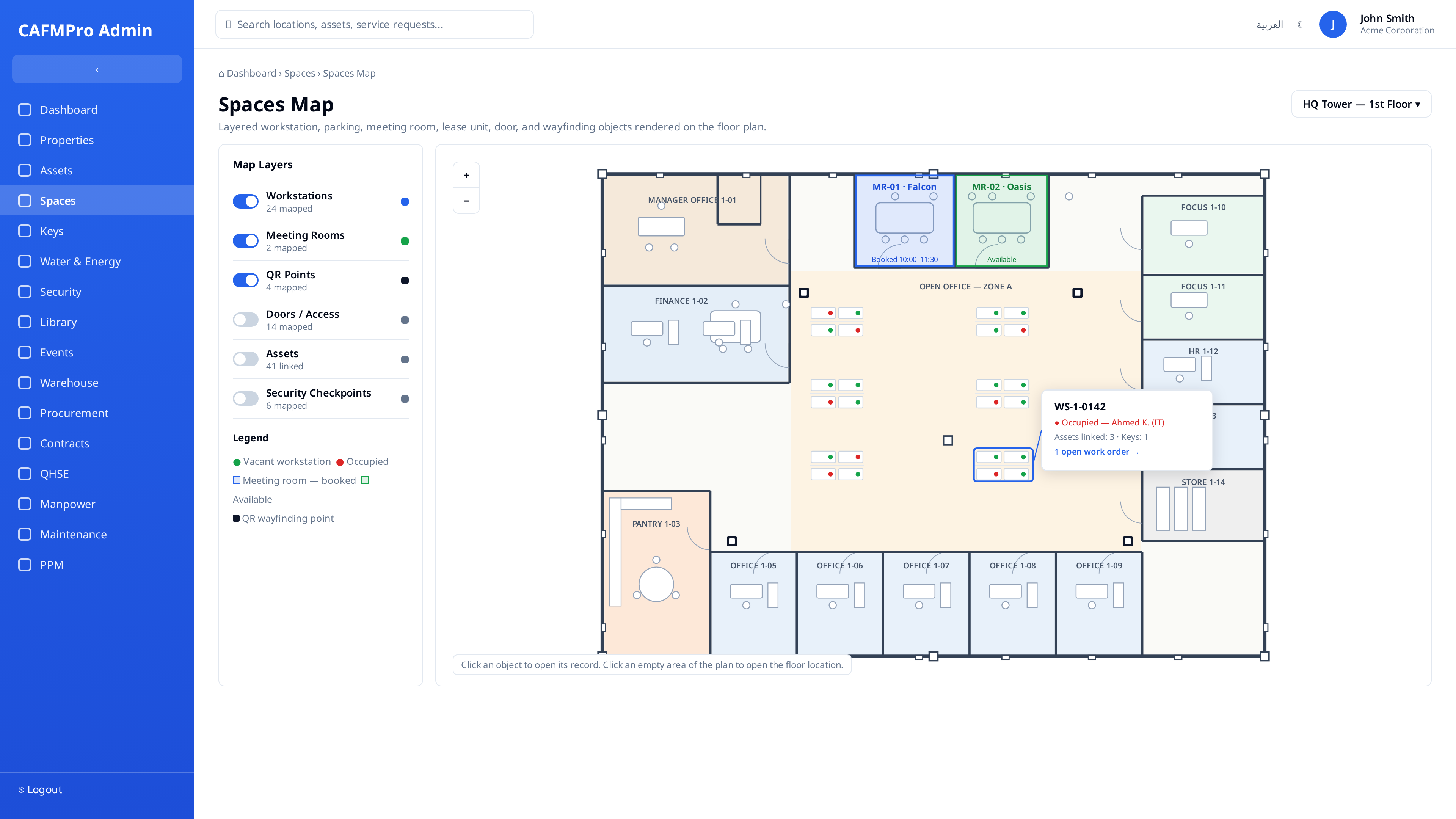
A workstation, room, parking bay, asset, door, key, security checkpoint, or work order can be understood from the same plan. The plan gives each team a direct route from the physical location to the live record, responsible action, and evidence connected to that place.
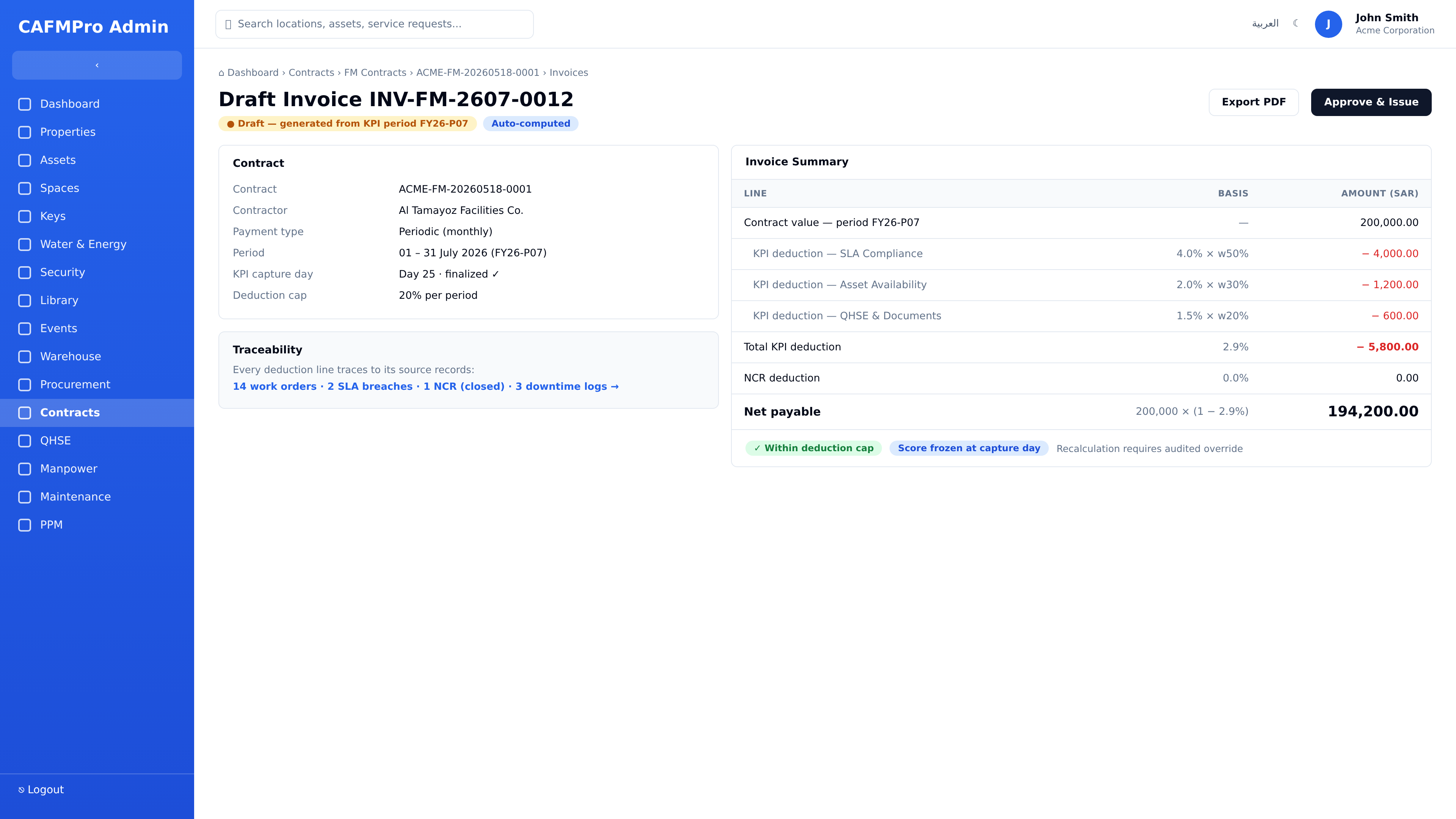
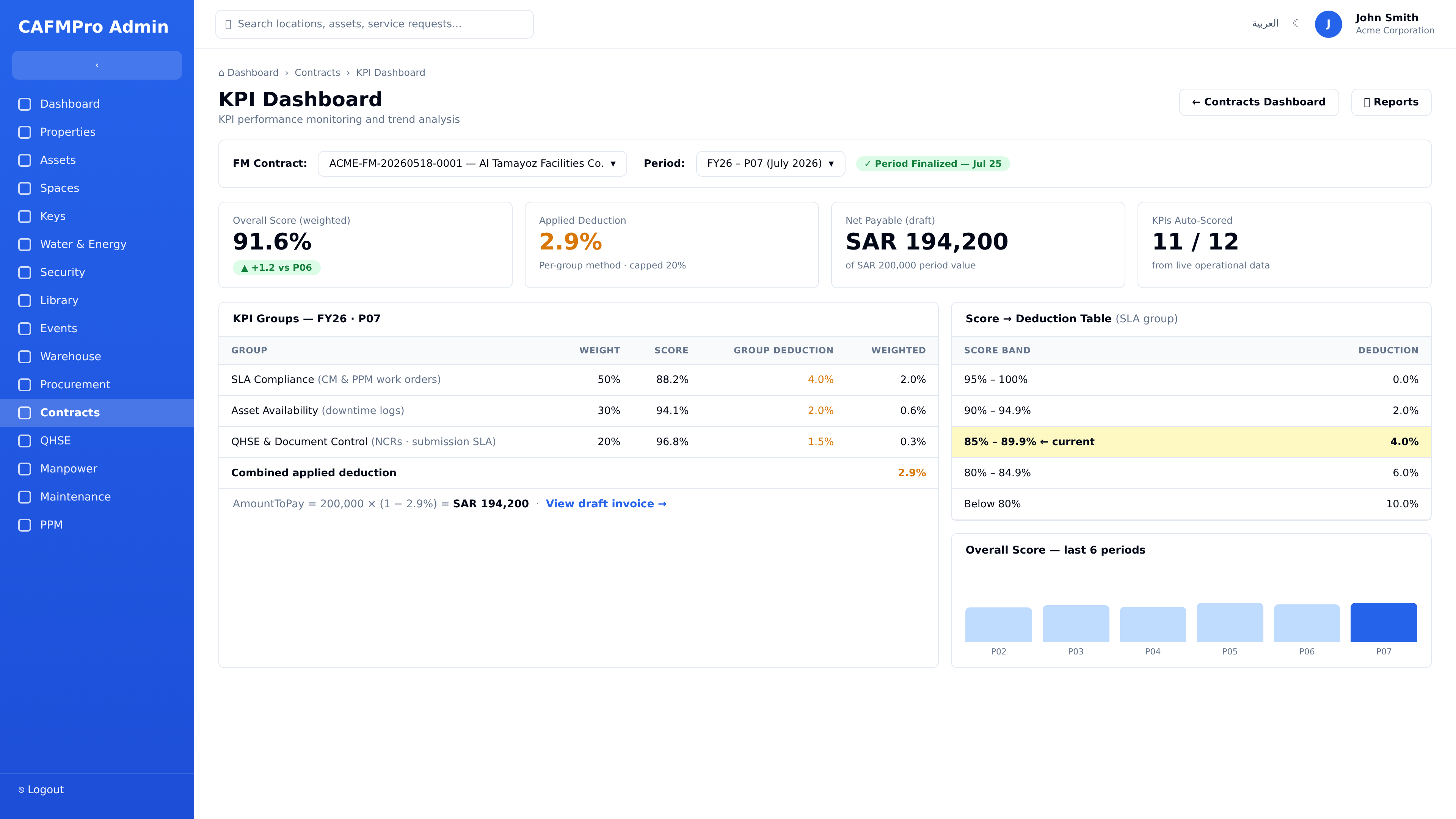
SLA compliance, asset availability, QHSE, documents, NCRs, caps, and capture-day rules can become a traceable payable amount. Managers can still follow each deduction line back to the source records that created it.
Roles, locations, service lines, approval groups, working calendars, KPI rules, report priorities, and dashboard layouts are configured around each client's operating model.